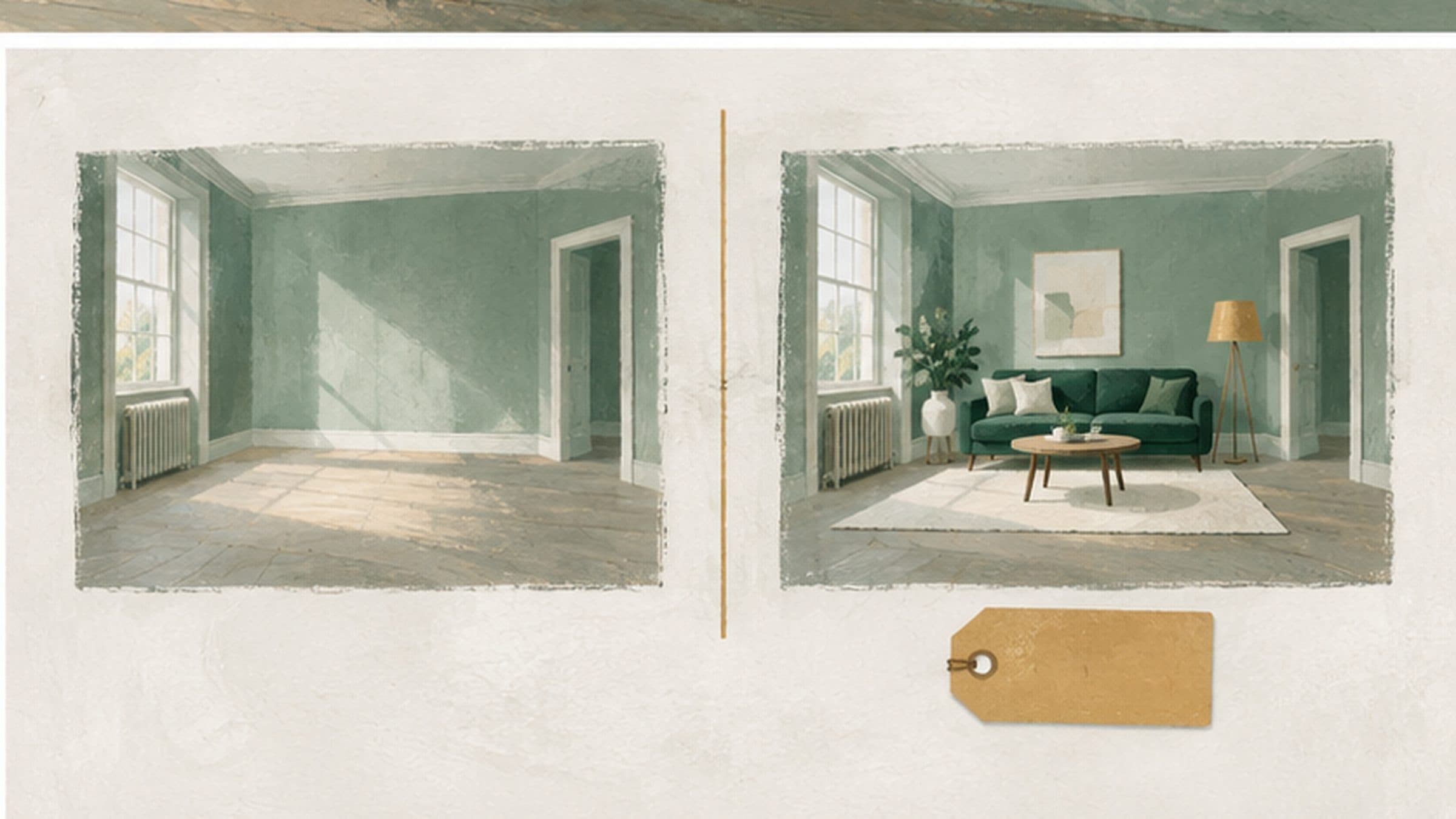
How to stage a listing honestly: what can change and what cannot
For agents publishing staged images. Virtual staging is fine; virtual staging a buyer cannot tell apart from a photograph is not. Where Renza draws the line, and why every image keeps a record.
The uncomfortable fact about virtual staging is that it is very good at exactly the thing that gets an agent in trouble. A staged photograph is a picture of a room that does not exist, published to sell that room. Whether that is normal marketing or a misleading action depends entirely on how it is presented.
The rule that covers all of it
A buyer must not form a false impression of what they would be buying. Adding a sofa to an empty room does not change what is for sale. Removing a damp patch, widening a room, deleting a pylon from the window or losing a supporting column does — those are alterations to the property itself, and no caption makes them acceptable.
Since April 2025, the Digital Markets, Competition and Consumers Act 2024 has set the UK rules on misleading actions and omissions in consumer marketing, and property listings are covered. Responsibility for a listing sits with whoever publishes it. Using software to make an image does not move that responsibility anywhere else.
Staging or alteration?
- Usually fine, clearly labelled: adding furniture, rugs, lamps, plants and artwork to an empty room; replacing a seller’s furniture with new pieces; clearing clutter.
- Take care: freshening finishes such as wall colour or flooring. It shows potential, but a buyer could take it as the room’s condition, so say exactly what changed.
- Never acceptable: hiding damage, damp, cracks or stains; changing a room’s size, ceiling height, windows or doors; removing fixed features such as a chimney breast, radiator or boiler; improving the view.
The last group is where real complaints come from. In one reported UK case in 2026, an AI edit that furnished a listing photograph also removed a chimney breast, and the disclosure was hard to find. The furniture was never the problem.
What Renza will not change
- The structure of the room — walls, ceiling height, window and door positions.
- What is visible through the windows.
- The condition of the surfaces, in the modes that keep them.
- The proportions of the space.
Furniture and decor are added; the room stays the room. That constraint is in the prompt itself rather than in a policy document, because a rule that depends on somebody remembering it is not a rule. AI still makes mistakes, which is why the checks below matter.
How to label a staged image
Put the label where a buyer will see it: in the image caption on the listing and next to the photograph in the brochure, not in small print at the end. Keep the wording plain, for example:
- Virtually staged. Furniture is not included.
- Image digitally edited to show the room furnished.
- AI-edited image. The original photograph is shown alongside.
Use the same wording everywhere the image appears, so a buyer who sees it on a portal, in a brochure and in a social post reads the same thing each time.
Publish the original photograph in the same listing where you can, so a buyer can compare the two. The guidelines of the largest UK property portal treat AI-edited images as enhanced edits, allowed only when they are clearly labelled and accompanied by current, accurate images of the room.
Keep the record
Each generation in Renza records its mode, its style and when it was made, and the original photograph stays alongside the staged version. Keep that pair. If a buyer or a portal questions an image, you can show exactly what changed in two minutes rather than reconstructing it from memory.
Before you publish
- Compare the staged image with the original at full size.
- Check the walls, windows, doors, radiators, sockets and view are unchanged.
- Check nothing a buyer would care about has been removed.
- Label the image in the listing caption and the brochure.
- Publish or keep the original with it.
Common questions
Do I have to label virtually staged photographs?
No UK law names AI images specifically, but a staged image presented as an ordinary photograph can mislead, and portals set their own labelling rules. Label every staged image; it costs nothing and removes the risk.
Can I stage a photograph of an occupied home?
Yes, if the seller agrees and the result is labelled. Replacing their furniture is a bigger edit than furnishing an empty room, so compare the result carefully.
Can I use staged images in a brochure or on social media?
Yes, with the same rules: label every one where it appears and keep the original available. A staged image shared without its caption is where the label most often gets lost.
Can I change the sky or the garden?
A dusk or blue-sky version of the outside of a house is a common edit when it is labelled. The garden, the view and the building itself should be shown as they are.